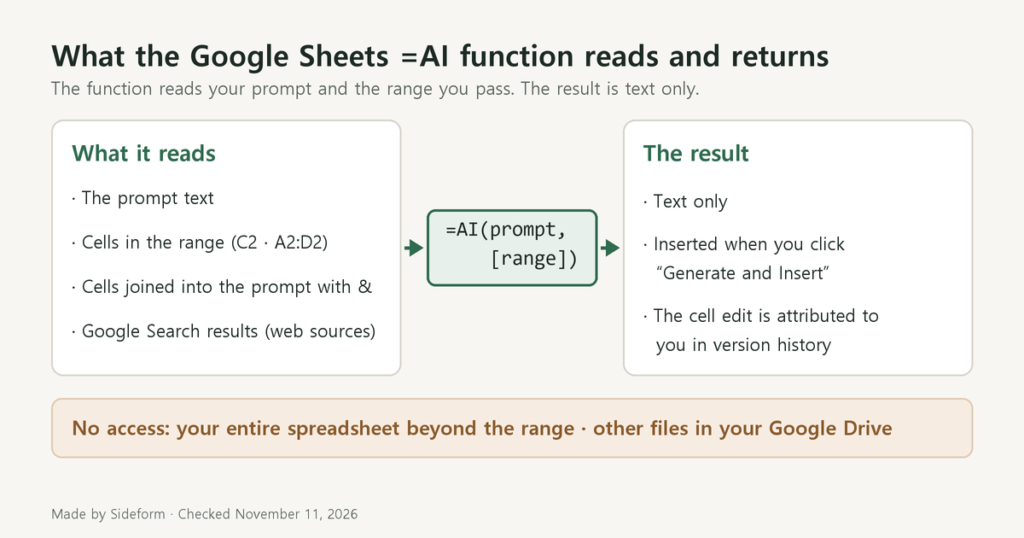
Google Sheets =AI Function: Who Can Use It, What It Reads, and Its Limits
Which accounts and plans can use the =AI function in Google Sheets, what it reads, and its limits: text-only output and 350 cells at a time.
Tests and guides for using AI tools such as ChatGPT and Gemini in everyday work, from email replies to PDF summaries and meeting notes.
Which accounts and plans can use the =AI function in Google Sheets, what it reads, and its limits: text-only output and 350 cells at a time.
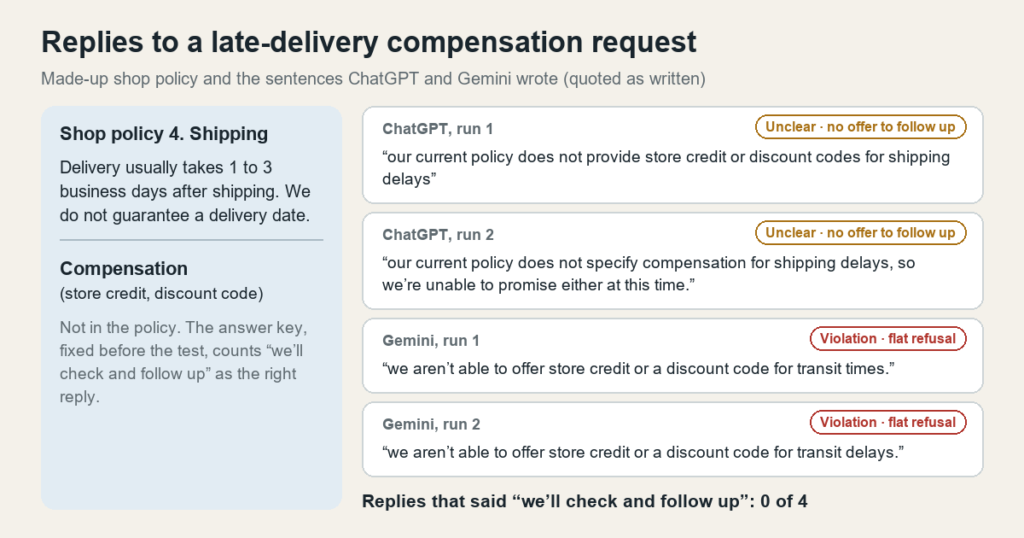
We had ChatGPT and Gemini draft 24 customer service email replies from a made-up return policy. See where the drafts went beyond the policy.
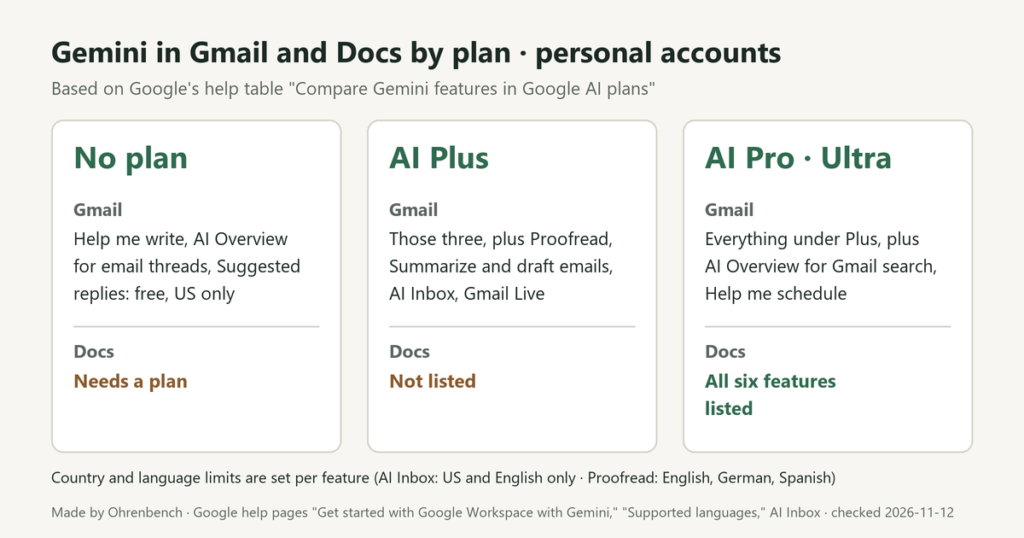
What a personal Google Account gets from Gemini in Gmail and Docs with no plan, Google AI Plus, or Pro and Ultra, plus country and language limits.

We gave ChatGPT and Gemini a made-up 4-page PDF guide and checked the discount math, refund rules, page references and a fee that was not there.
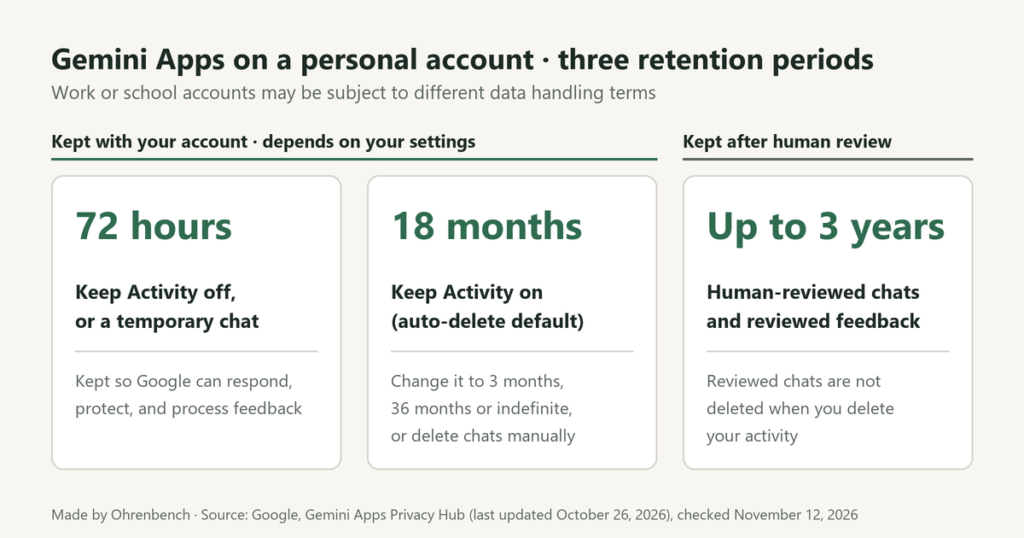
For personal Google Accounts: what Gemini’s Keep Activity changes, who can review chats, and what is kept for 72 hours, 18 months or up to 3 years.

We ran the same made-up meeting memo through ChatGPT and Gemini four times. Both short-request answers turned an approval condition into a task.