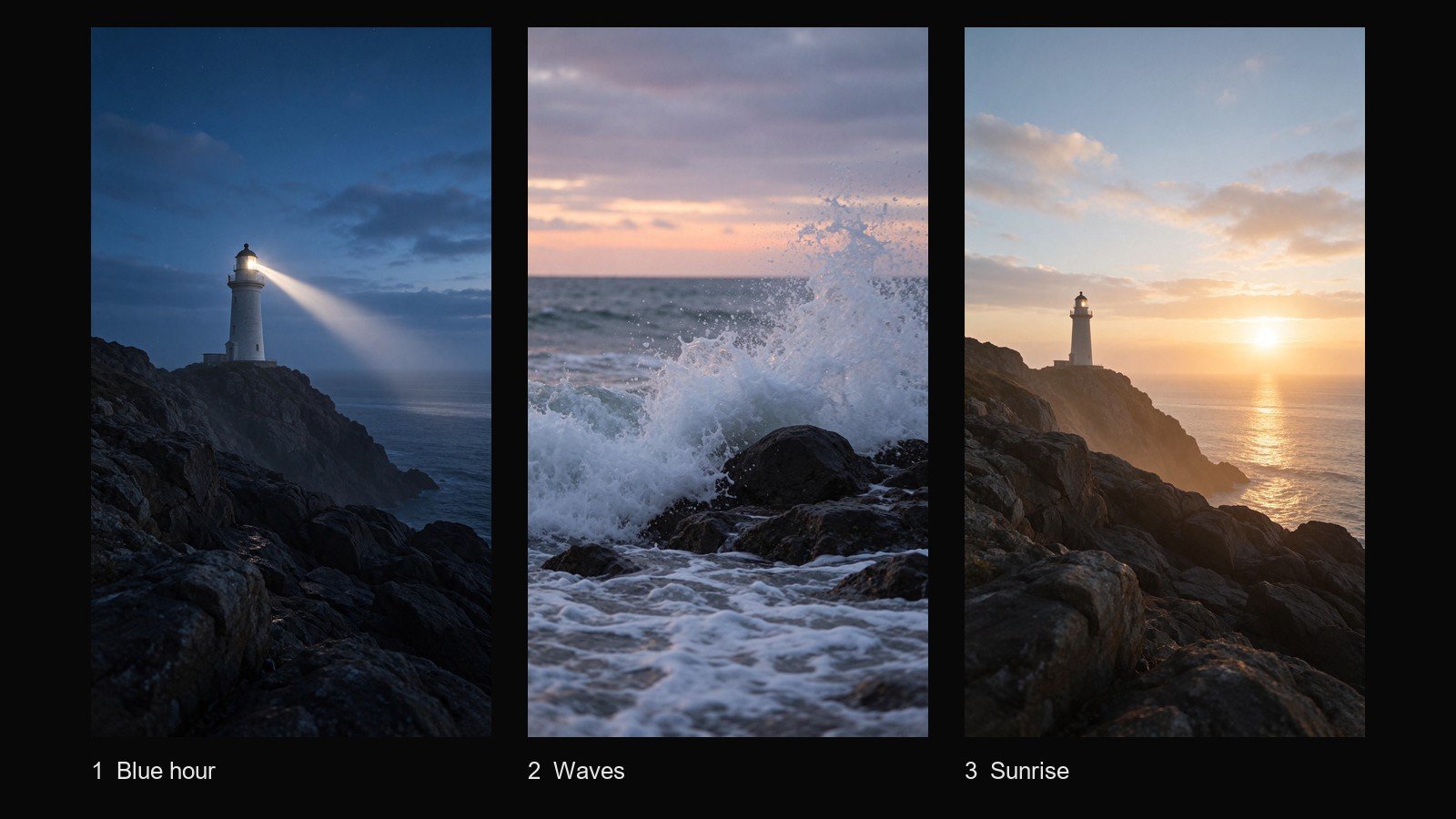
In short: we planned a three-scene vertical short, generated one key image per scene with Seedream 5.5, turned each image into a 5-second clip with Kling 4.0 image-to-video, and joined the clips with ffmpeg. The finished video is 14.1 seconds long in 9:16. It took about 14 minutes from the first generation to the finished file and cost 59 credits, of which 44.25 went into the shots that made the final cut and 14.75 into two re-runs.
The finished short: blue hour at the lighthouse, waves on the rocks, sunrise. 14.1 seconds, 9:16, no audio.
Every step below uses Higgsfield CLI, which runs Higgsfield’s image and video generations from the terminal. All commands, settings, times and credit numbers here come from that one run.
For how the models compare, see our Higgsfield AI review; for what a credit buys across 24 image and video models, see our Higgsfield pricing breakdown.
What you need
- A Higgsfield plan with credits. We paid for our own Ultra subscription, and Higgsfield gave us no free credits, payment or sponsorship. This run needed 59 credits including two re-runs.
- Higgsfield CLI. We used version 1.2.2. You sign in with
higgsfield auth login, andhiggsfield account statusshows your available credits. - Python 3 for a short script that saves the finished files to disk (shown in step 3).
- ffmpeg to join the clips. We used a 9.0 build.
- About 15 minutes of generation time, more than half of it waiting for the video clips.
Step 1: Write the idea in one line, then split it into three scenes
One-line idea: a lighthouse keeps watch through the last minutes of night, the sea moves, and the sun comes up.
Three scenes of about five seconds each give you a 15-second short. Each scene needs two prompts: one for the still key image and one for the motion you want in the clip. Each image prompt ends with the same line ruling out people, text, signage and logos.
Scene 1, blue hour (image prompt):
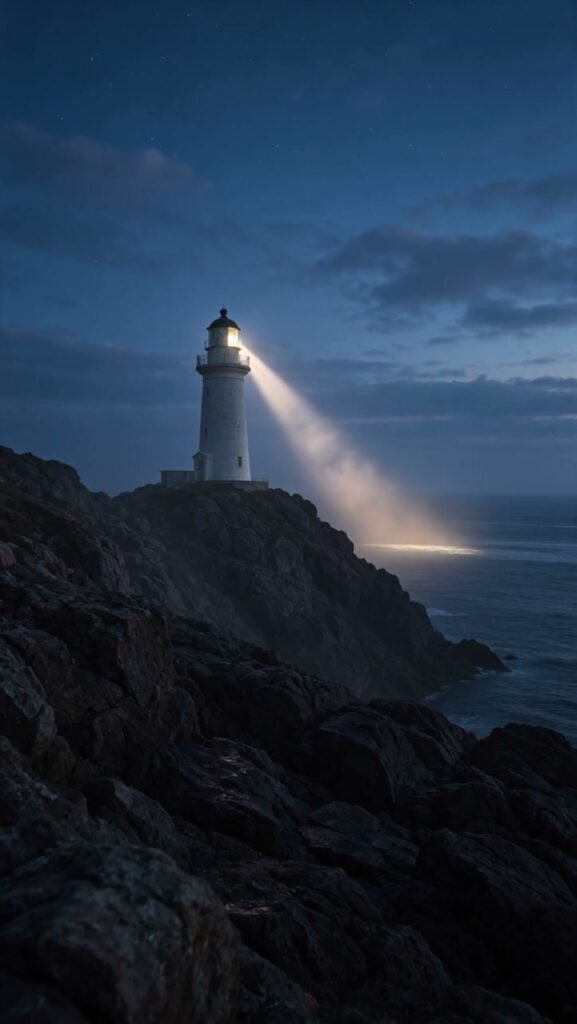
A lone white lighthouse on a rocky headland at blue hour just before dawn. Its beam cuts through thin sea mist, the ocean below is dark and calm, and a few faint stars remain in the sky. Vertical composition with the lighthouse in the upper third, wide shot, cinematic, cool blue palette. No people, no text, no signage, no logos.
Scene 2, waves (image prompt, first version):
Waves roll in and break against dark wet rocks at the foot of a lighthouse headland just before sunrise. White foam and spray in the foreground, the first pale orange glow on the horizon reflected on the water. Vertical composition, low angle close to the water, cinematic. No people, no text, no signage, no logos.
Scene 3, sunrise (image prompt):
The sun rises above a calm sea horizon and warm golden light spreads across the water. The same white lighthouse stands on the rocky headland on the left side of the frame, its lamp still glowing faintly. Vertical composition, wide shot, cinematic warm palette. No people, no text, no signage, no logos.
The motion prompts are shorter, because the image already sets the scene. They only say what should move:
- Scene 1: The lighthouse beam sweeps slowly through the mist, the mist drifts gently, the stars fade, slow camera push-in toward the lighthouse.
- Scene 2: Waves roll in and crash against the rocks, foam and spray rise and fall back, the camera holds steady low near the water, the glow on the horizon brightens slightly.
- Scene 3: The sun slowly rises above the horizon, golden light spreads across the gentle waves, slow camera drift to the right.
Step 2: Check the models and the price before you spend
These checks cost nothing: our balance did not move (run log).
higgsfield model get seedream_5_5
higgsfield model get kling4_0
higgsfield generate cost seedream_5_5 --aspect_ratio 9:16 --resolution 2k --prompt "..."
higgsfield generate cost kling4_0 --mode image-to-video --aspect_ratio 9:16   --resolution 720p --duration 5 --prompt "..."
higgsfield generate cost kling4_0 --mode image-to-video --aspect_ratio 9:16 --resolution 720p --duration 5 --start-image <key image job ID> --prompt "..."| Check | What it returned |
|---|---|
model get seedream_5_5 | 9:16 among the aspect ratios; 1k, 1.5k or 2k; up to 10 image references |
model get kling4_0 | image-to-video with a start image; 9:16; 720p or 1080p; duration in seconds |
| Seedream 5.5 estimate | 3.5 credits |
| Kling 4.0 estimate, no start image | Error: Image-to-video requires images only. |
| Kling 4.0 estimate, with start image | 11.25 credits |
Image model: Seedream 5.5. We picked it after the image tests in our review; here it matters that it takes 9:16 at 2k and accepts reference images, which let scene 3 reuse the scene 1 lighthouse.
Video model: Kling 4.0. Its image-to-video mode starts from a key image and takes 9:16; a 5-second 720p clip was quoted at 11.25 credits. Other resolutions and models are priced in our pricing breakdown. Because image-to-video needs the start image even for an estimate, price the video step after the key images exist.
Step 3: Generate one key image per scene and save it
With --wait the command blocks until the image is ready, and --json prints the finished job, including its ID and the address of each result file. We piped that JSON into a short Python script (shortened here) that saves every image or video link in it:
# save.py   usage: ... --json | python save.py <name>
import sys, re, json, pathlib, urllib.parse, urllib.request

name = sys.argv[1]
raw = sys.stdin.read()
pathlib.Path(f"{name}.json").write_text(raw, encoding="utf-8")  # keep the full response
data = json.loads(raw)
for job in data if isinstance(data, list) else [data]:
    print("job ID:", job["id"])  # pass this ID to later commands
urls = []
for u in re.findall(r"https?://[^\s\"'<>]+", raw):
    path = urllib.parse.urlparse(u).path.lower()
    if re.search(r"\.(png|jpe?g|webp|mp4|mov|gif)$", path) and u not in urls:
        urls.append(u)
for i, u in enumerate(urls, 1):
    ext = pathlib.PurePosixPath(urllib.parse.urlparse(u).path).suffix.lower()
    req = urllib.request.Request(u, headers={"User-Agent": "Mozilla/5.0"})
    with urllib.request.urlopen(req, timeout=300) as r:
        pathlib.Path(f"{name}_{i}{ext}").write_bytes(r.read())
    print(f"{name}_{i}{ext}")
Then generate the first key image:
higgsfield generate create seedream_5_5 --aspect_ratio 9:16 --resolution 2k \
  --prompt "A lone white lighthouse on a rocky headland at blue hour..." \
  --wait --json | python save.py scene1-image
An image job’s JSON held a .webp preview (min_result_url) and the full .png (result_url), saved as scene1-image_1.webp and scene1-image_2.png. Each image took 28 to 35 seconds from the command to the saved file and was charged 3.5 credits, the same as the estimate (run log). The full images are 1536 × 2720.
Keep the job ID the script printed. The CLI’s media flags accept a local file path, an upload ID, or an earlier job’s ID, so you never have to re-upload your own key images.
For scene 3 we passed the scene 1 image as a reference, so the sunrise would show the same lighthouse:
higgsfield generate create seedream_5_5 --aspect_ratio 9:16 --resolution 2k \
  --image-references <scene 1 image job ID> \
  --prompt "The sun rises above a calm sea horizon..." --wait --json | python save.py scene3-image
Its JSON also lists the reference image, so the script saved three images; the new image is the last one, scene3-image_3.png. It shows the same white tower on the same headland, seen from almost the same spot as scene 1, now in warm morning light. The reference carried over the framing as well as the building.
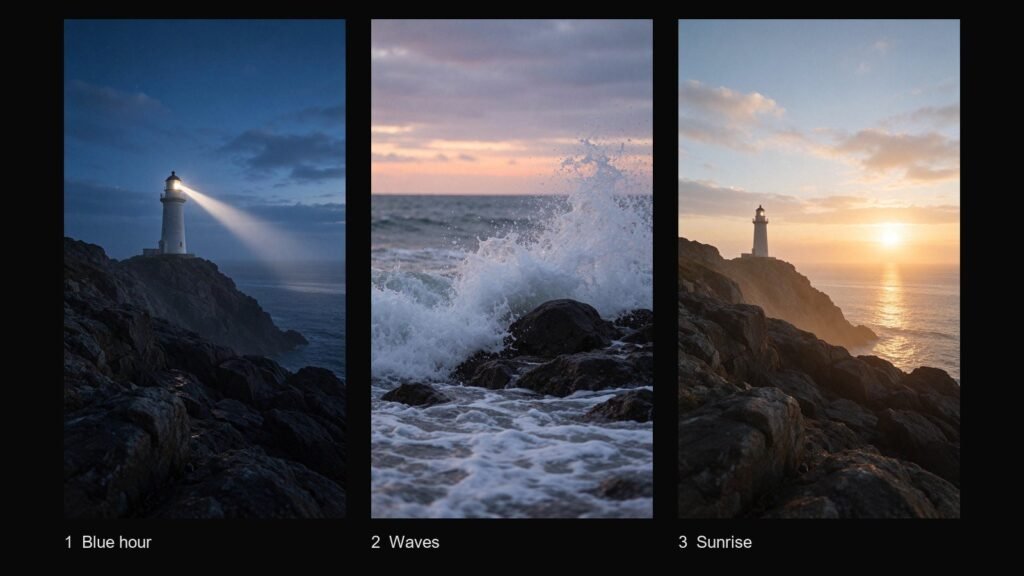
The three key images that went into the video. Seedream 5.5, 9:16, 2k, 3.5 credits each.
Step 4: Look at each image and re-run what doesn’t fit
Check each key image against the story before you animate it. A clip cost more than three times as much as an image (11.25 credits against 3.5), so fix things here.
Scene 1 and scene 3 matched their prompts. Scene 2 did not fit the story: the first image showed two lighthouses on the headland, a small white one and a taller dark one, while scenes 1 and 3 have a single white tower.
We changed the scene 2 prompt in two places. We removed the lighthouse from it (“at the foot of a lighthouse headland” became “on a rocky shore”) and added “no buildings” to the closing line:
Waves roll in and break against dark wet rocks on a rocky shore just before sunrise. White foam and spray in the foreground, the first pale orange glow on the horizon reflected on the water. Vertical composition, low angle close to the water, cinematic. No people, no buildings, no text, no signage, no logos.
The second try showed only waves, rocks and a pink dawn sky; scenes 1 and 3 already carry the lighthouse. The re-run cost another 3.5 credits and 35 seconds.
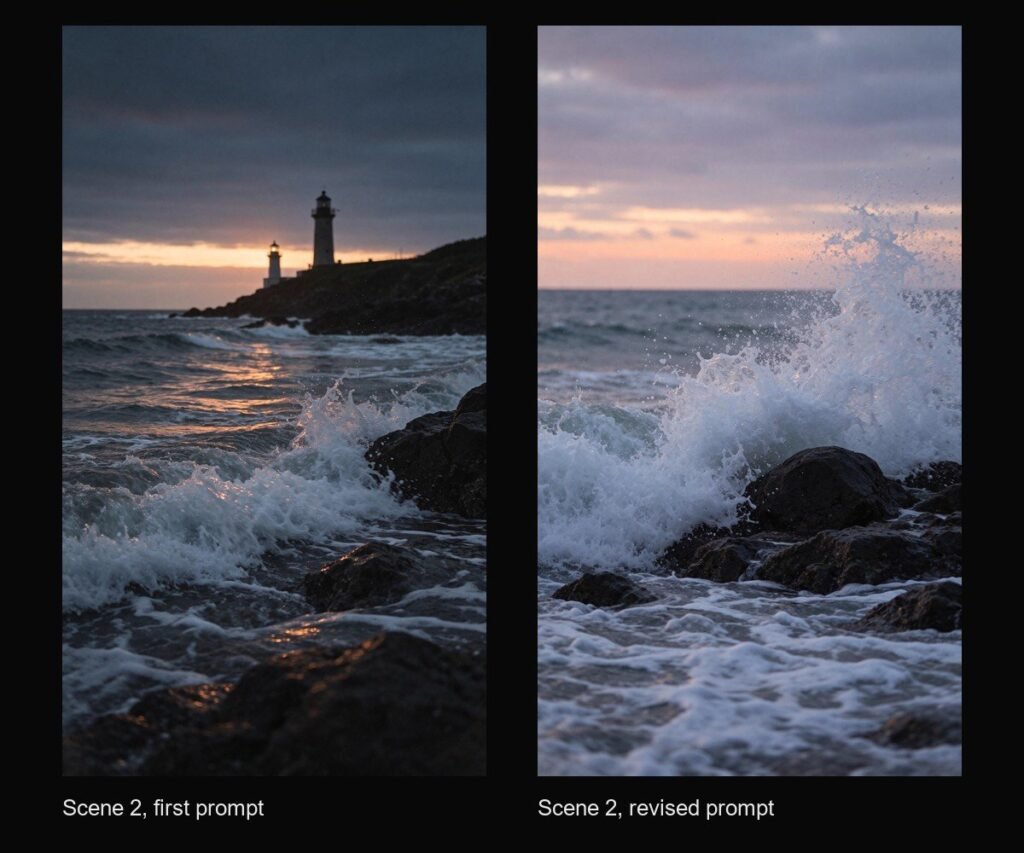
Scene 2 before and after the prompt change.
Step 5: Turn each image into a 5-second clip and save it
Kling 4.0 takes the key image as the first frame and animates it from the motion prompt:
higgsfield generate create kling4_0 --mode image-to-video \
  --aspect_ratio 9:16 --resolution 720p --duration 5 \
  --start-image <key image job ID> \
  --prompt "The lighthouse beam sweeps slowly through the mist..." --json
Submit all three, then wait. Without --wait, the command returns a job ID straight away. We submitted the three clips within six seconds of each other, then collected each one with generate wait, piped into the same script:
higgsfield generate wait <scene 1 clip job ID> --quiet --json | python save.py scene1A clip’s JSON holds three links: the start image (in params → medias), the clip (result_url) and a thumbnail (thumbnail_url). Our script saved them in that order, so each clip is the one .mp4: scene1_2.mp4, scene2_2.mp4, and for scene 3 the re-run below, scene3b_2.mp4. These are the inputs for step 6.
All three clips were saved 4 minutes 43 seconds after the first submission; a single clip submitted on its own later took 3 minutes 44 seconds. Each was charged 11.25 credits, the same as the estimate (run log), and each file is 724 × 1284 at 24 frames per second, 5.04 seconds long.
What each clip did:
- Scene 1: the beam swings from across the sea up into the sky and the lamp grows brighter. The headland stays in place, so the push-in from the prompt barely shows.
- Scene 2: a wave hits the rock, the spray rises and falls back, the water drains around the rocks, and the next wave builds behind. The camera holds still, as asked.
- Scene 3, first try: the light shimmers on the water and the camera drifts slightly to the right, but the sun sits at the same height in the first and last frames. For the last shot of a sunrise story, that was too still.
We re-ran scene 3 from the same start image with a more direct motion prompt:
The sun climbs steadily upward and lifts clear of the horizon during the shot, its golden reflection on the water stretches and brightens, gentle waves roll toward the rocks, slow camera drift to the right.
The re-run moves much more. The camera drifts clearly right, carrying the sun about 77 pixels left across the 724-pixel frame, where the first try left it in place, and the glow around the sun spreads to about four times its first-frame size. The sun itself still does not climb: against the horizon line, its centre stays at the same height from half a second in to the end. We kept the re-run for the stronger camera move and wider glow, at another 11.25 credits and 3 minutes 44 seconds.
Step 6: Join the clips with ffmpeg
Scene 1 is night blue and scene 2 is pink dawn, so instead of hard cuts we joined the clips with two half-second fades:
ffmpeg -i scene1_2.mp4 -i scene2_2.mp4 -i scene3b_2.mp4 -filter_complex \
 "[0:v][1:v]xfade=transition=fade:duration=0.5:offset=4.5417[a];
  [a][2:v]xfade=transition=fade:duration=0.5:offset=9.0833,format=yuv420p[v]" \
 -map "[v]" -an -c:v libx264 -crf 18 -preset slow -movflags +faststart short-9x16.mp4
Each fade overlaps two clips by half a second, so the finished video is 14.125 seconds (339 frames) instead of 15.1. The offset for each fade is the length of everything before it minus the fade length. -an leaves the generated audio out of the final file. Encoding took 3 seconds.
Frame at 2.0 seconds: blue hour.
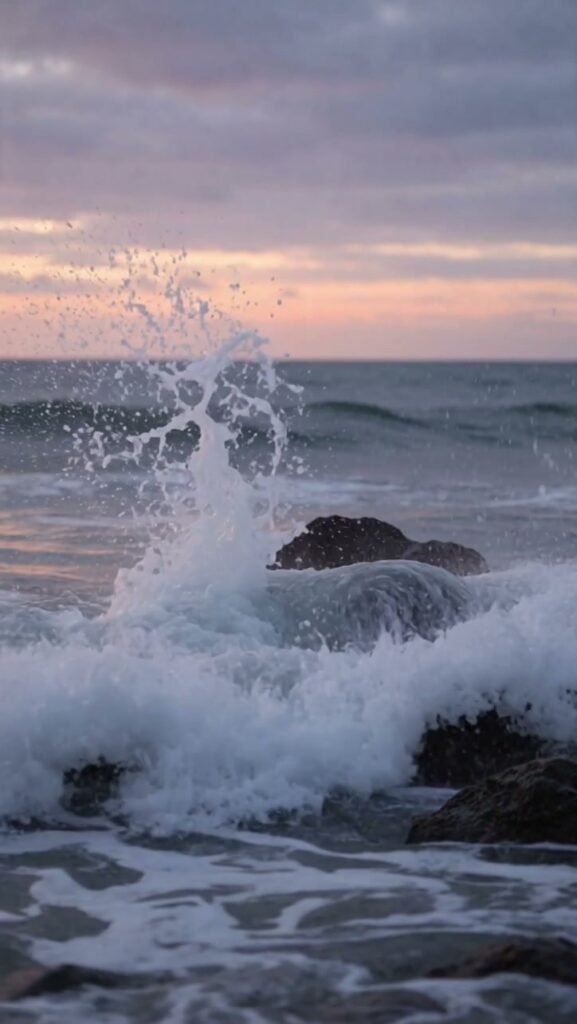
Frame at 7.0 seconds: waves.
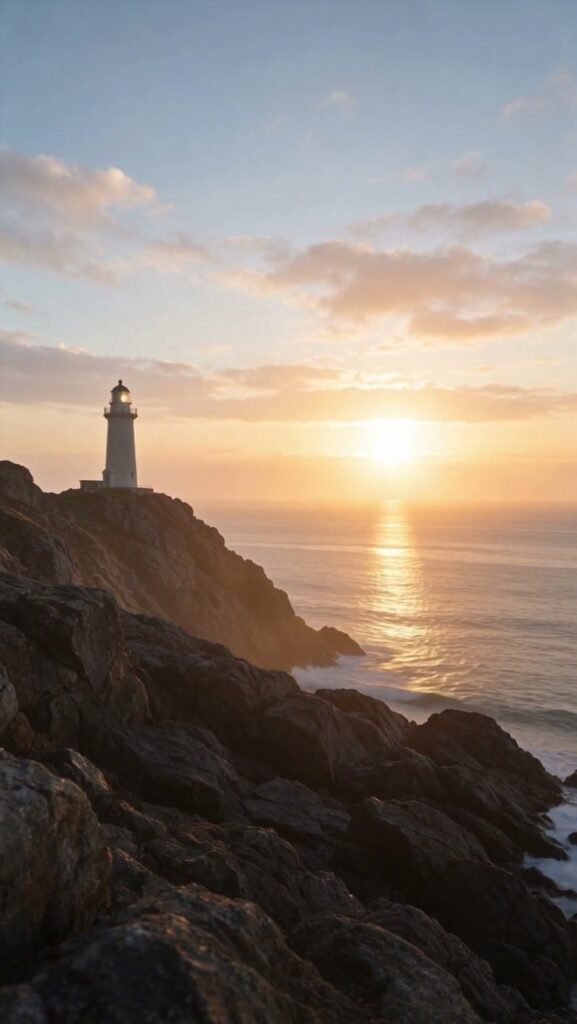
Frame at 12.5 seconds: sunrise.
What it added up to
| Step | Runs | Credits (estimate = charge) | Time |
|---|---|---|---|
| 1. Idea and prompts | — | 0 | not timed |
| 2. Model check and estimates | — | 0 | 1–2 s per estimate |
| 3–4. Key images, Seedream 5.5 | 4 (1 discarded) | 14 | 28–35 s per image |
| 5. Clips, Kling 4.0 image-to-video | 4 (1 discarded) | 45 | 3 min 44 s – 4 min 37 s per clip |
| 6. Join with ffmpeg | 1 | 0 | 3 s |
| Total | 59 (run log) | about 14 min from first image to final file |
Clip times run from submission to the saved file, and the first three clips ran at the same time.
What we would keep doing
- Price every step first.
generate costis free and matched every charge in this run. - Leave out of the prompt anything you don’t want in frame. Scene 2 lost its extra lighthouse once the prompt stopped mentioning one and asked for no buildings.
- Judge the clip, not the prompt. Asking twice for the sun to rise gave us a stronger camera drift and a wider glow, while the sun held its height.
FAQ
How many credits does a short like this cost on Higgsfield?
59 credits here, or 44.25 without the two re-runs: three 2k Seedream 5.5 images at 3.5 and three 5-second 720p Kling 4.0 clips at 11.25.
How long does Kling 4.0 image-to-video take for a 5-second clip?
3 minutes 44 seconds to 4 minutes 37 seconds from submission to the saved file; three of our four clips ran at the same time.
Do the clips come with sound?
Yes, each arrived with a stereo audio track. We left it out with -an, so the finished short is silent.
Related: Higgsfield AI review · Higgsfield pricing
Leave a Reply